


MCP servers are now pretty much everywhere. They've standardized how we connect agents to tools, and for a lot of use cases that's been enough. But MCP interfaces return text, and text has limits. That changes with the introduction of MCP apps, which give us a unified way to render rich UI interfaces directly inside MCP clients.
Hosts are the applications that run and manage MCP servers. Think Claude.ai, IDEs like Cursor, or other AI-powered clients.
Worth noting: this isn't a proprietary format from a single vendor. MCP is now governed by the Agentic AI Foundation under the Linux Foundation — Anthropic developed it, then donated it to open governance at the end of 2025. When OpenAI and others aligned behind the same standard shortly after, it sent a clear signal: this one has legs.
Need a bit more context on MCP servers - what they are and what they do? Check out our guide to ‘What is MCP’ to get the full, no-nonsense breakdown of MCP.
 Mitchel Smith
What Are MCP Apps?
MCP apps are interactive UI applications that render inside MCP hosts like Claude Desktop - apps that live directly in your MCP client, with seamless access to both the server and the LLM.
The deeper value is about access. MCP already helps democratize data by giving non-technical users tools through a chat interface - but there's only so much a chat interface can do. Handing someone a pair of pliers doesn't mean they can rewire their house.
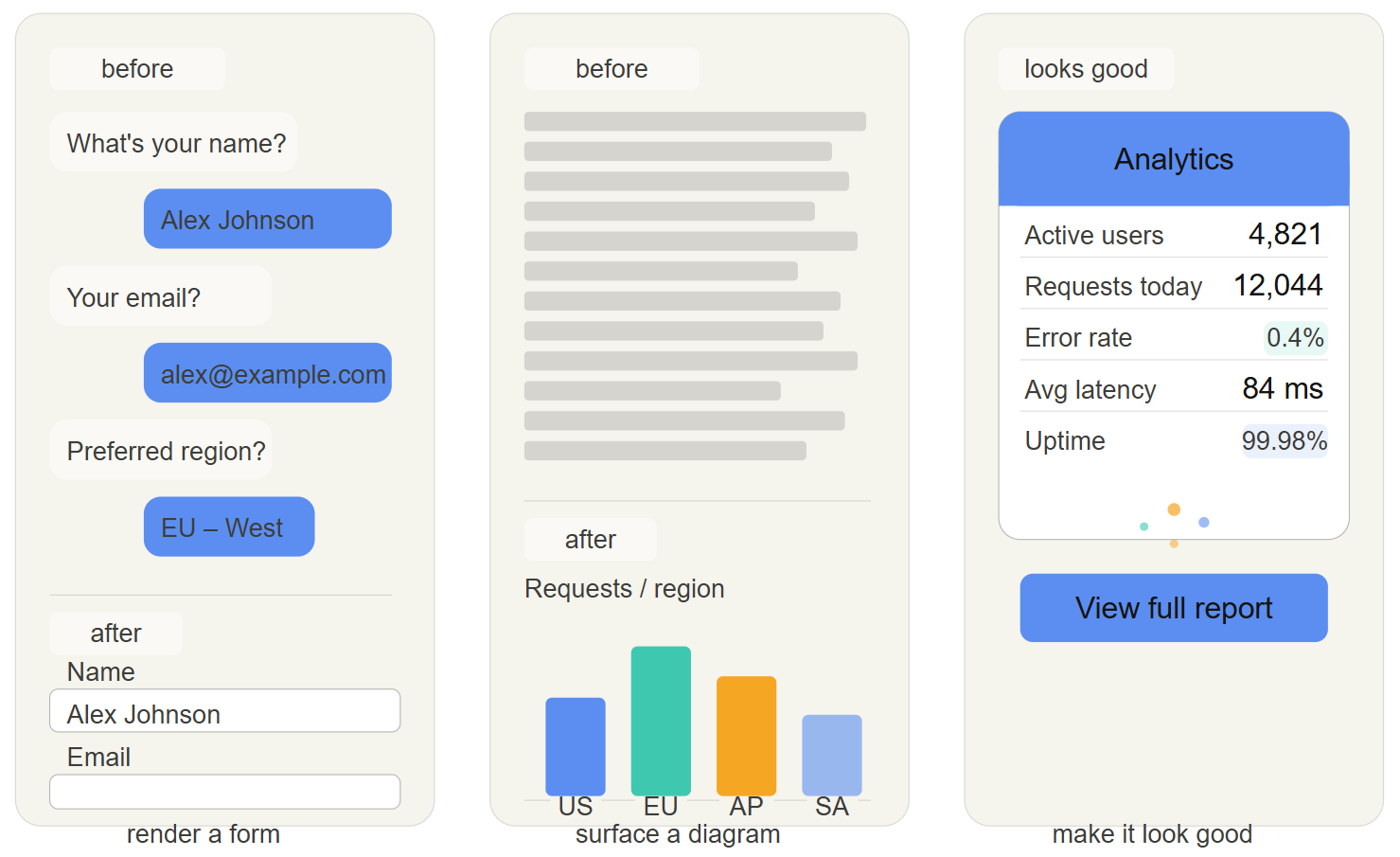
MCP apps close that gap: instead of a back-and-forth conversation to collect inputs, you render a form. Instead of a wall of text to parse, you surface a diagram or interactive component. video?You can also just make it look good - a well-designed UI goes a long way, and users notice it more than you might think.
What MCP apps aren't (yet)
MCP apps aren't a silver bullet. You now have a UI to build, which is extra work and a reliable generator of opinions. They also run in a sandboxed environment - an isolated container that prevents the app from accessing your broader system (files, network, OS). It's secure by design, but it’s also a constraint if your use case needs to operate outside it. Not to mention they're written in TypeScript, not ideal if your team lives in Python...
If you don't need the tight integration with the LLM and server, a traditional web app is probably the simpler choice. MCP apps shine when that back-and-forth between the UI, server, and model is doing real work.
A real example
Take an MCP server that’s been built to interact with a database. This is useful for technical users, but can be hard for non-technical ones, since tracing relationships through text responses is cognitively pretty taxing. The video below shows three approaches to the same query:
- Plain text - long-winded and hard to parse.
- Generated Mermaid diagram - better visually, but static and not tied to live data.
- MCP app - a live, interactable ERD built from the actual database, with forms for creates and edits, replacing back-and-forth conversation.
The third approach works because the app runs inside the MCP host - it pulls live data from the server, responds to interactions, and feeds information back into the conversation without the user ever leaving the client.
Getting Started
Building an MCP app follows a similar pattern to a standard MCP server - the main addition is a UI layer the host knows how to render.
If you're already running an MCP server and hitting the limits of what a chat interface can express, MCP apps are the natural next step.

